 DocuGhost
Your first edit
Try the editor with a sample, or open a Markdown file of your own. A small change is a good place to start.
The browser demo is an editor preview. It does not connect to GitHub or save drafts after you leave. Download a copy before closing or reloading the page. Repository connections are available in the separate local workspace.
Open a document
Open the editor demo.
Choose a sample from the left sidebar, or click Open file and select a UTF-8
.mdfile.Click a normal paragraph in Visual editor and start typing.
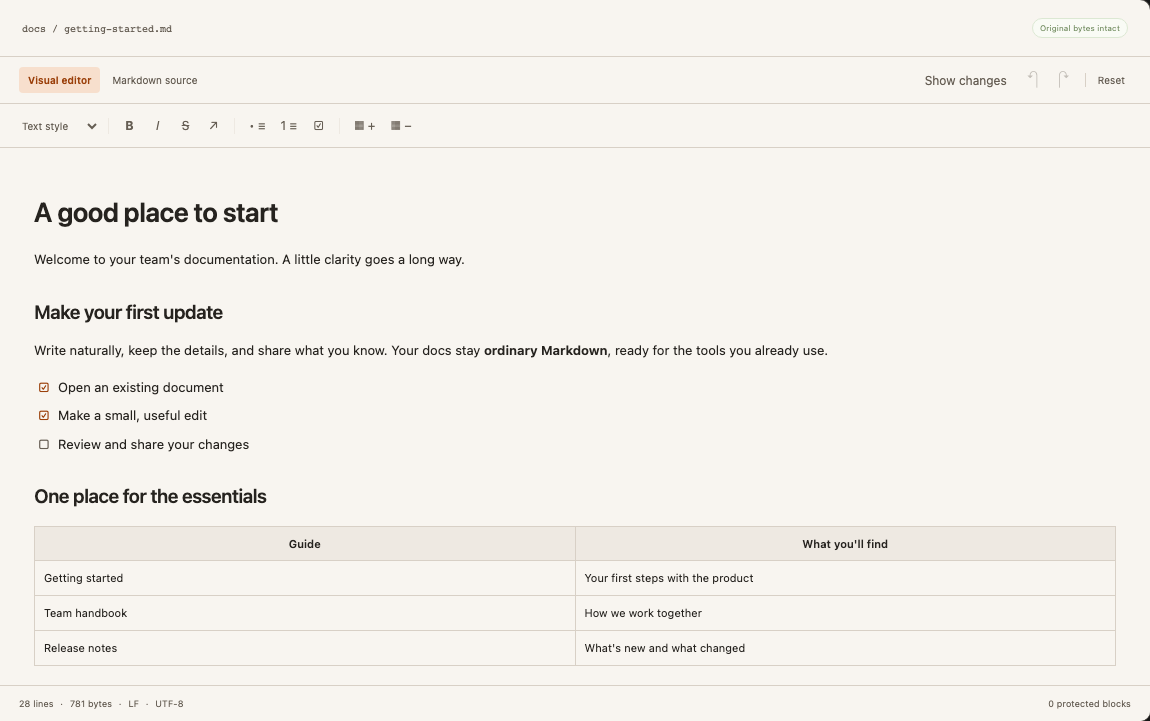
Opening a file does not overwrite it. Original bytes intact means your working copy still matches what you opened.
Make a small change
Replace a word in a paragraph. Use Bold or Italic on selected text, or type # followed by Space at the start of an empty paragraph to create a heading. Undo and Redo work across visual and source edits.
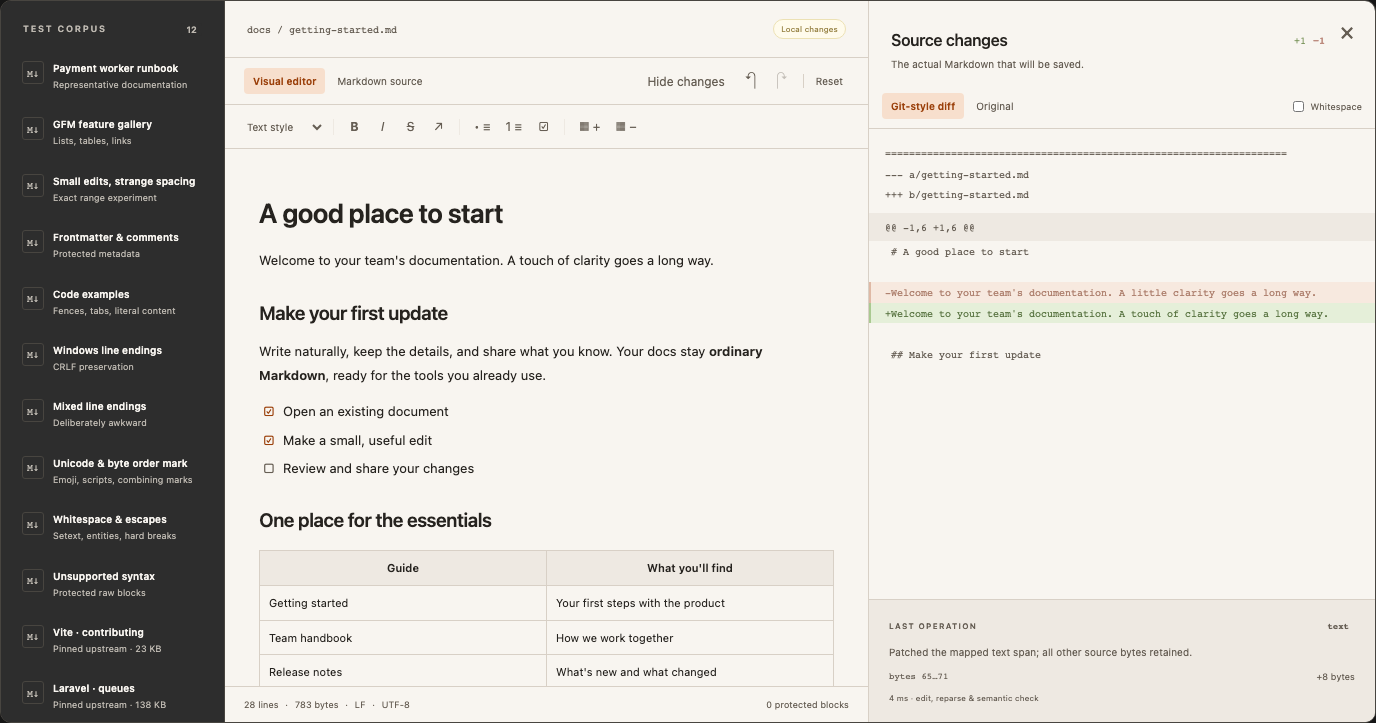
The changes panel starts hidden. Click Show changes if you want to see the Markdown diff. Click Hide changes, or the panel’s close button, to return to writing. Your browser remembers this preference; it does not affect what is saved.
Save your work
Click Save a copy to download the current Markdown. This produces a new file; your original stays where it was. In the browser demo, this is the way to keep your edits. The download contains Markdown only, not linked image files.
For the GitHub workflow, drafts save to the local backend and are submitted separately. See Connect your GitHub docs.
When something is protected
Frontmatter, HTML and unsupported extensions can appear as protected blocks. They stay in your file. Switch to Markdown source to edit them directly, then return to Visual editor. See preservation limits before editing a repository with custom syntax.
Next: Write and format covers shortcuts, lists, tables and code.